Start with WorshipAssist
WorshipAssist is your band's music stand: songs, chords, setlists and shared band sessions on your phone, tablet or computer. Open WorshipAssist and sign in with your SundayAssist account. You can use it without Presenter. When your church uses Connect, the same church songs and setlists are available there too, as far as your access allows.
Choose how you read songs
The first time you open a song, WorshipAssist asks how you use it.
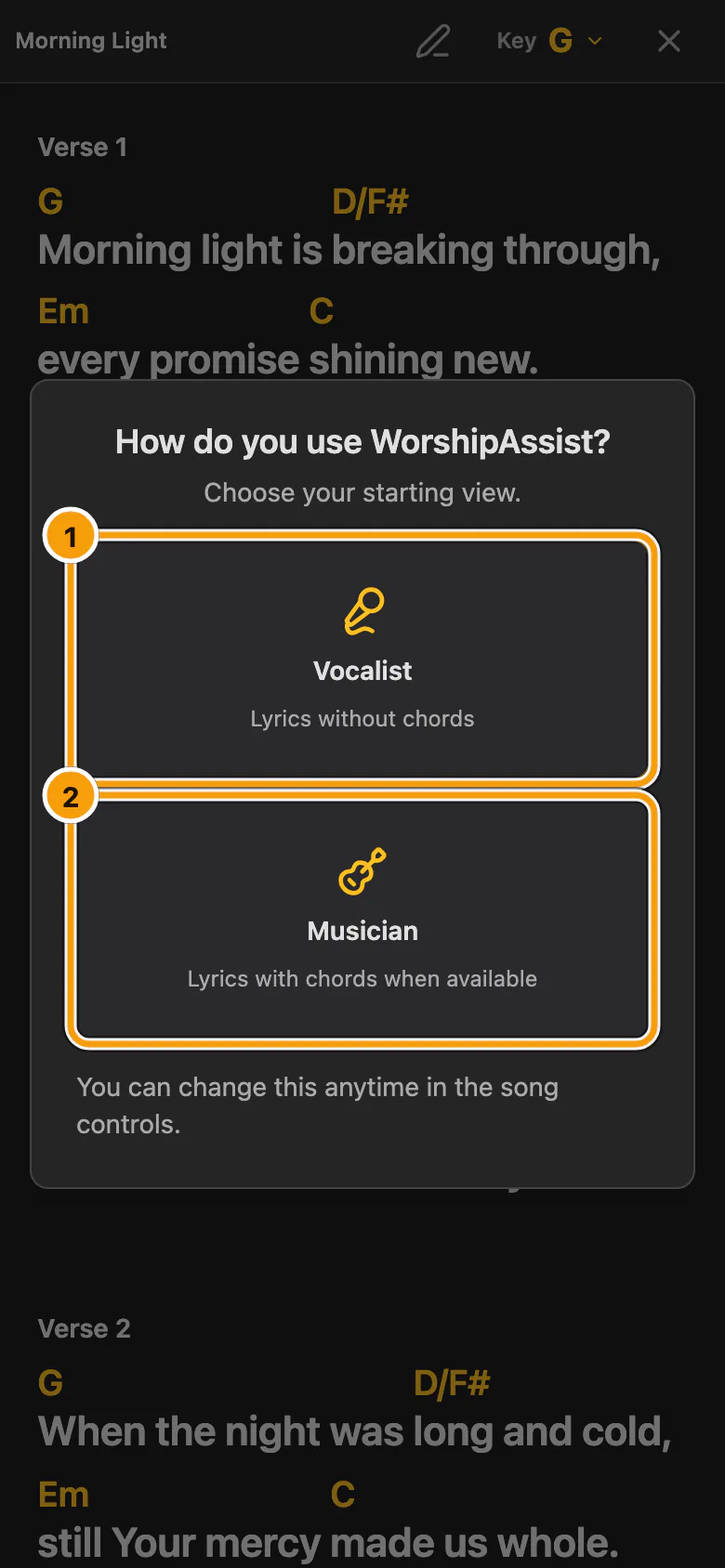
① Vocalist · ② Musician
- Choose Vocalist to read lyrics without chords.
- Choose Musician to read lyrics with chords, when the song has them.
You can change this at any time in Live controls: Lyrics, Both or Chords. If you already had a saved view, WorshipAssist keeps it and does not ask again.
Join your team
Your songs and setlists belong to your team: your band or your church's music team. With no team yet, the first screen offers three choices:
- Join with a link: open an invitation, setlist or Presenter link from your team. This is usually the right choice.
- Find your team: search for your team and ask to join.
- Start a new team: only if your church or band is not on SundayAssist yet.
The SundayAssist and WorshipAssist phone apps show only the first two: they open teams that already exist. Start a new team in WorshipAssist on the web.
Check that the right team is selected before you edit or share music. Your role in the team decides whether you can read, edit or manage it. If a song or action is missing, first check that you are in the right team.
Check your access and plan
- An active WorshipAssist, Connect or Complete subscription covers the workspace's invited musicians. Each musician does not need to buy a separate subscription.
- Connect and Complete include WorshipAssist for the church's music workspace, with its Connect setlists. A band without Connect uses its own WorshipAssist subscription.
- Eligible workspaces can start a 28-day music trial. It ends at the end of its final day in the organisation's time zone (Europe/Amsterdam unless another time zone is set).
- Connect's free Basic plan does not include continued WorshipAssist access after that trial.
See current plans.
Presenter's local WorshipAssist QR connection is a separate way to read the desktop song library. It works on the venue’s Wi-Fi with paid Presenter or during the full Presenter trial. Remote is for the speaker and the room; musicians choose WorshipAssist in the same QR menu. See Presenter and phone connections.
Find your way around
| To… | Read |
|---|---|
| Read a song on the music stand, change songs and your own key | Reading songs |
| Make songs easier to read: colours, fonts, sizes and columns | Song appearance |
| Write on a song with a pen or your finger | Marks & notes |
| Follow the band leader's songs, or invite a guest | Play together as a band |
| Take songs with you without internet | Offline practice |
| Send your music to a church's Presenter | Send songs to a Presenter |
| Edit songs and prepare setlists | Songs & setlists |
| Invite musicians and manage the band | Band settings |