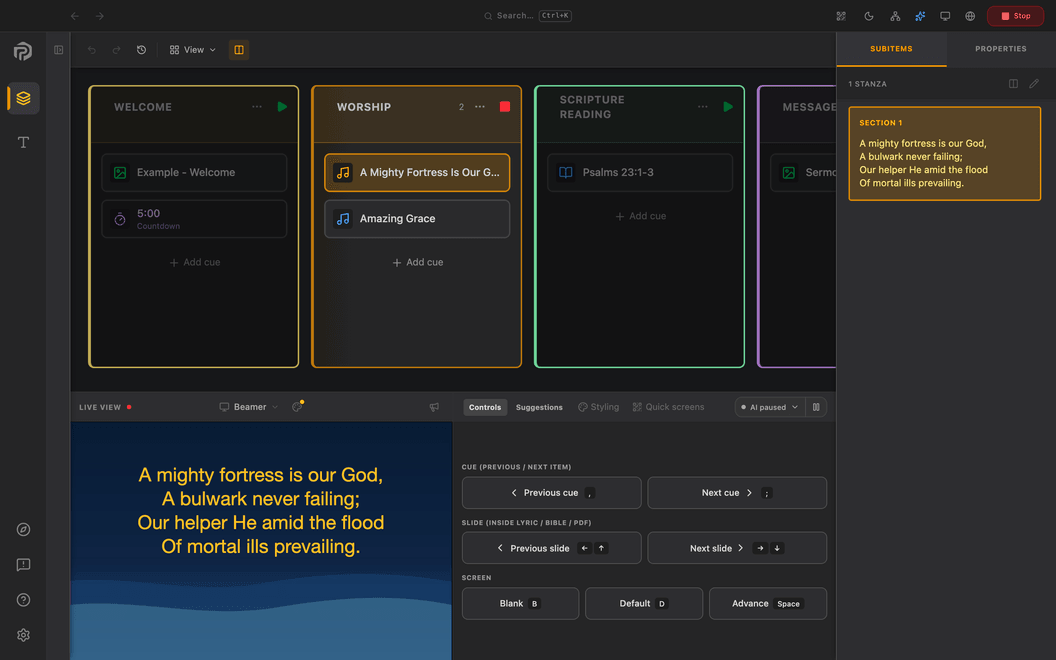
A new chapter for your Sunday screens.
What’s new at a glance
- Bible search
- Find passages by words or meaning
- Presenter Free
- Keep presenting after the trial
- Local AI Assistant
- Improved: faster and steadier
- Styling templates
- Design once, update every linked cue
- Children’s games
- Pick up where you left off
- Quick screens
- Faster control while live
BIBLE SEARCH
Find the passage you remember.
Type a word or describe what you are looking for, such as “do not worry about tomorrow”, in the Bible tab or the search bar. Words finds the verses that contain your words; Meaning finds passages about what you describe.
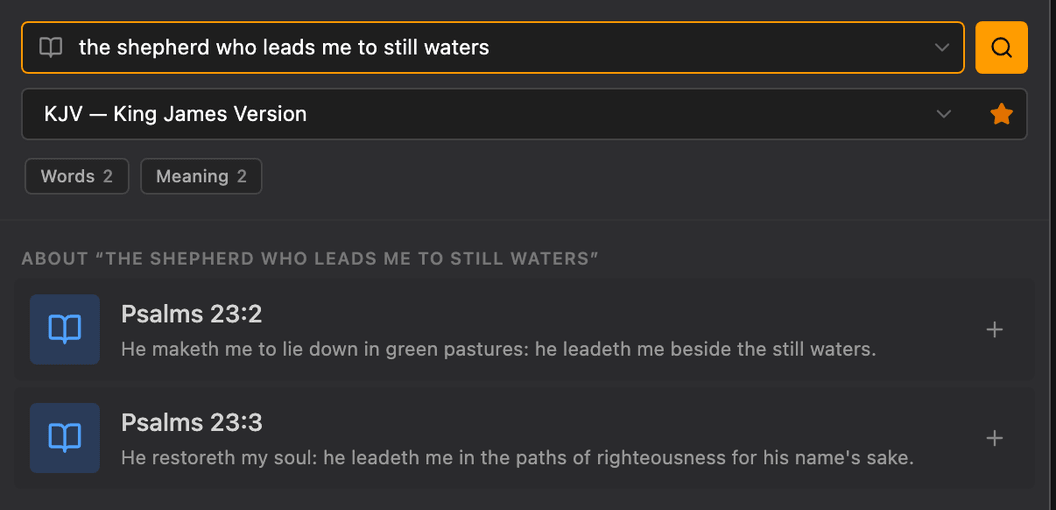
Words works offline. Meaning needs the AI Assistant's recognition, downloaded in AI Assistant → Required downloads. Only downloaded free Bibles and your own imports are searched. On Mac, Meaning requires macOS 13.4 or later.
PRESENTER FREE
Keep presenting after your trial.
When the 28-day trial ends, Presenter keeps working as Presenter Free: songs, Bible passages, text, images and video on one screen, with phone control on the same Wi-Fi. Paid features stay visible and explain what they need.
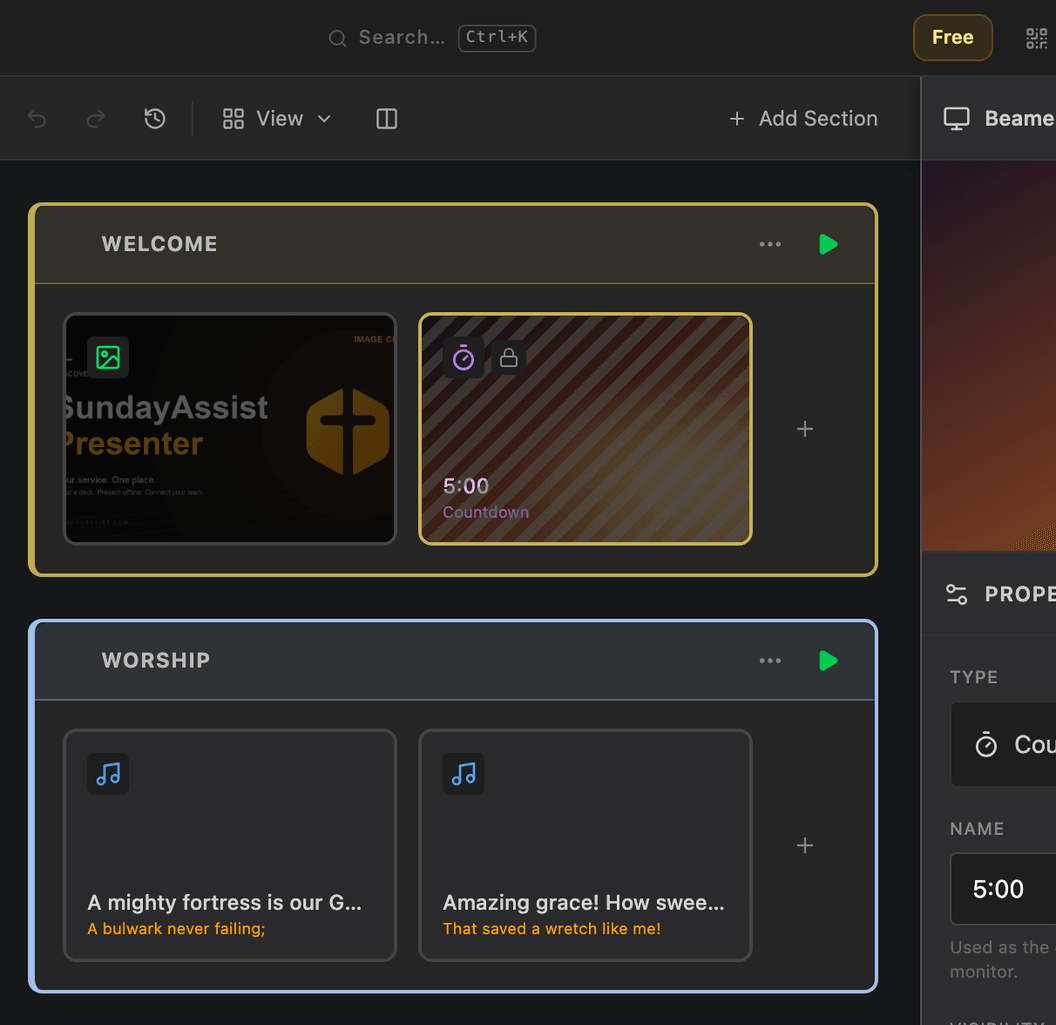
PDF, PowerPoint, more screens, widgets, AI and online services need paid Presenter. Phone control over the internet (Anywhere) comes with Complete.
LOCAL AI ASSISTANT · IMPROVED
Your local AI Assistant, faster and steadier.
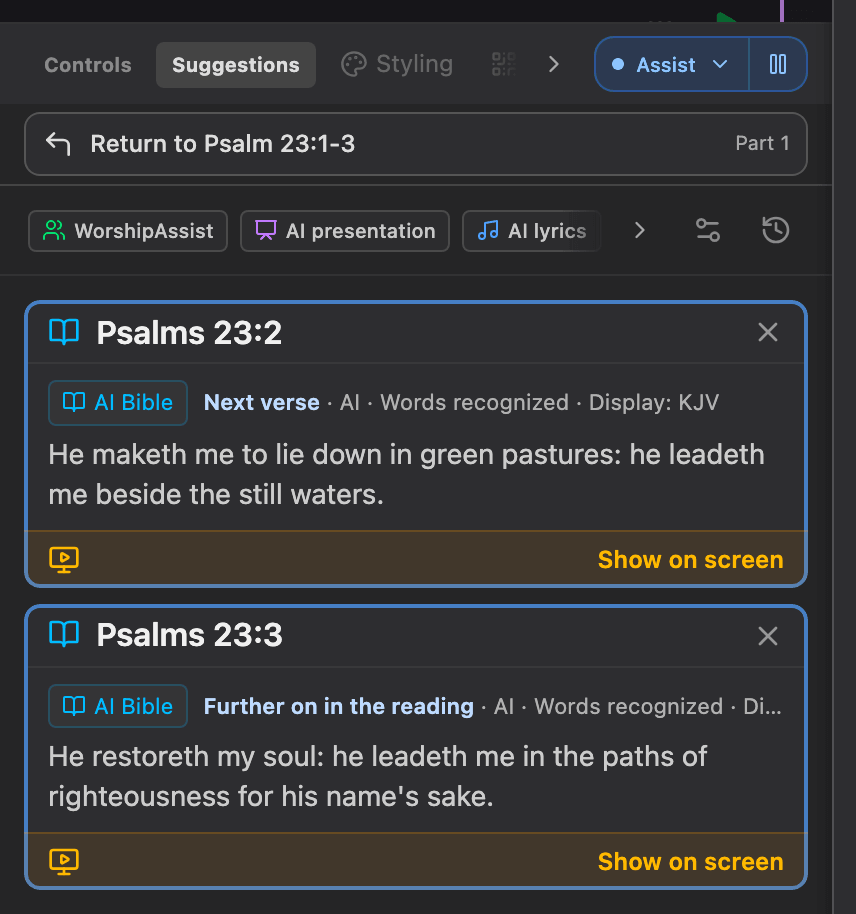
Listen, review suggestions and choose optional Auto-follow. It was already there; 2.0 improves it.
- Hear spoken Bible references and review passage suggestions from quotations.
- Follow sung lyrics through the prepared song’s slides.
- Follow prepared Bible slides as they are read aloud with optional Auto-follow.
- Use spoken slide commands inside ordinary sentences.
- Get suggestions for songs from your library as they are sung, and search Bible passages by words or meaning, even without the microphone.
New in 2.0
- Starts at once, and asks you to check the microphone after 30 seconds without signal.
- Suggestions show their source with a quick filter, keep their order under your pointer and point the way back after a wrong one.
- Auto-follow sits in the Assist menu, also when stopped, and can add the next verse from your local Bible when you read past the prepared passage, marked for you. One Undo removes the group.
- Meaning search and recognition use your favourite local Bible, prepared on your computer and paused while you present.
The AI Assistant needs paid Presenter and model downloads via AI Assistant → Required downloads. Speech supports English, Dutch, French, Spanish and Portuguese. Performance depends on your computer; rehearse first. CPU Compatibility mode uses one selected language. Recognition audio is processed locally, without cloud transcription. Meaning search and optional quotation comparison require macOS 13.4 or later on Mac.
STYLING TEMPLATES
Design a cue once, reuse it every Sunday.
Right-click a cue and choose Styling template → Save current appearance as template… to keep its look under a name. Change the template later and every linked cue in that collection follows, also in decks you have not opened.
- Star a template to use it as the collection default for that cue type.
- Lyrics, Bible passages, clocks and other cue types each keep their own design per display profile.
- Export collection designs… puts templates, backgrounds and logos in one file to share or back up.
- Presenter defaults give each new collection the look you chose.
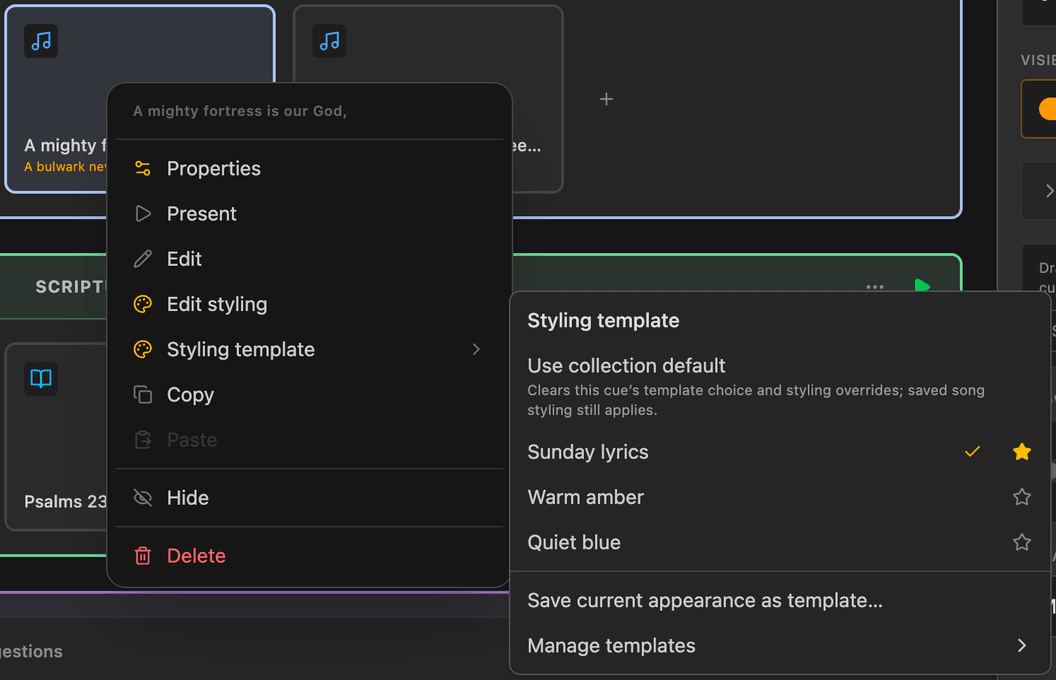
Cues you style by hand keep their own settings. Templates belong to one collection; other collections keep their own copies. Fonts are referenced, not included in the file. Adding a logo and using widgets such as clocks need paid Presenter.
CHILDREN’S GAMES
Children’s games that wait for you.
A ready-made children’s game template with optional teams and points, team draw, memory verse, clues and story order, mystery picture and a leader-only quiz. Show a song or a film in between: Cast lots, Spin the wheel, the memory verse, clues and mystery picture pick up where you left them, on every screen.
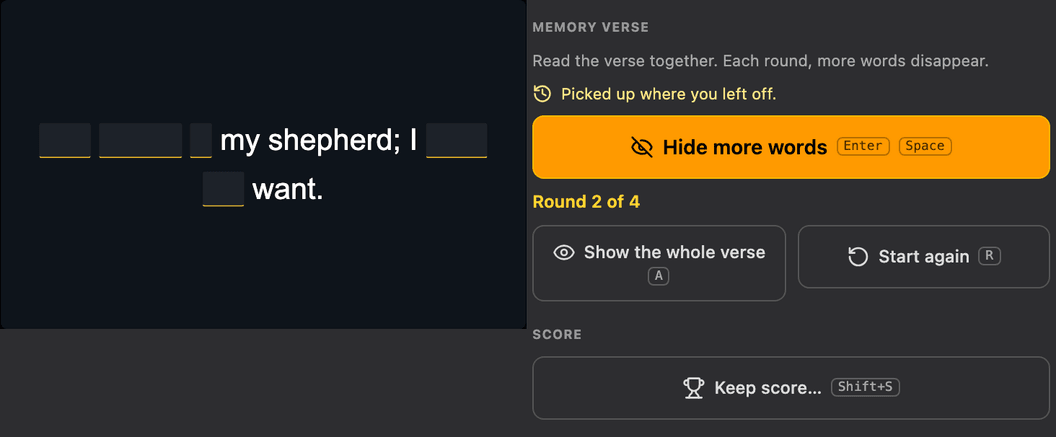
Widgets and games are part of paid Presenter.
Also new and improved
Quick screens
Put the phone pairing QR codes on the projector, or add a poll, word cloud, countdown or QR code right after the live cue.
Learn shortcut…
Right-click a cue, section or live control to use a key, mouse button, clicker, game controller or MIDI control.
Focus mode
Secondary controls stay hidden until you hover or reach them with the keyboard. Live controls stay visible.
Built-in reassurance
Presenter’s automatic recovery helps you continue where you left off.
Hymn board, Clock and Stopwatch
New widgets, each with its own appearance settings. Part of paid Presenter.
Help in your language
Help opens in your language, with a contents list, topic search and pictures taken in each of the five languages.
Ready for Sunday?
Download Presenter 2.0 and try the new features before your next service.
Presenter runs on Windows, Mac and Linux. Try every feature free for 28 days, without a payment card. After the trial, Presenter Free keeps working for simple projection.